A case study on our own domain, undertheleague.com. Part of the website recovery hub.
If you already run Claude Code or a similar agent, the obvious question is this: “I have an agent. Why would I pay a service to bring a dead site back from the Wayback Machine?”
Fair question. So we ran it as an experiment on a domain we own, with the same model in both rounds, one day apart.
- Round A: an AI agent, given the archive, a WordPress install, and no WaybackPress skills. It wrote its own restore from scratch, the way a customer’s agent would.
- Round B: the same model, one agent in a single loop, running the WaybackPress skills we built for our own restores.
Both rounds were real. Both went live on a server. Below is what each one produced, and what the difference tells you about what WaybackPress actually does.
The test site
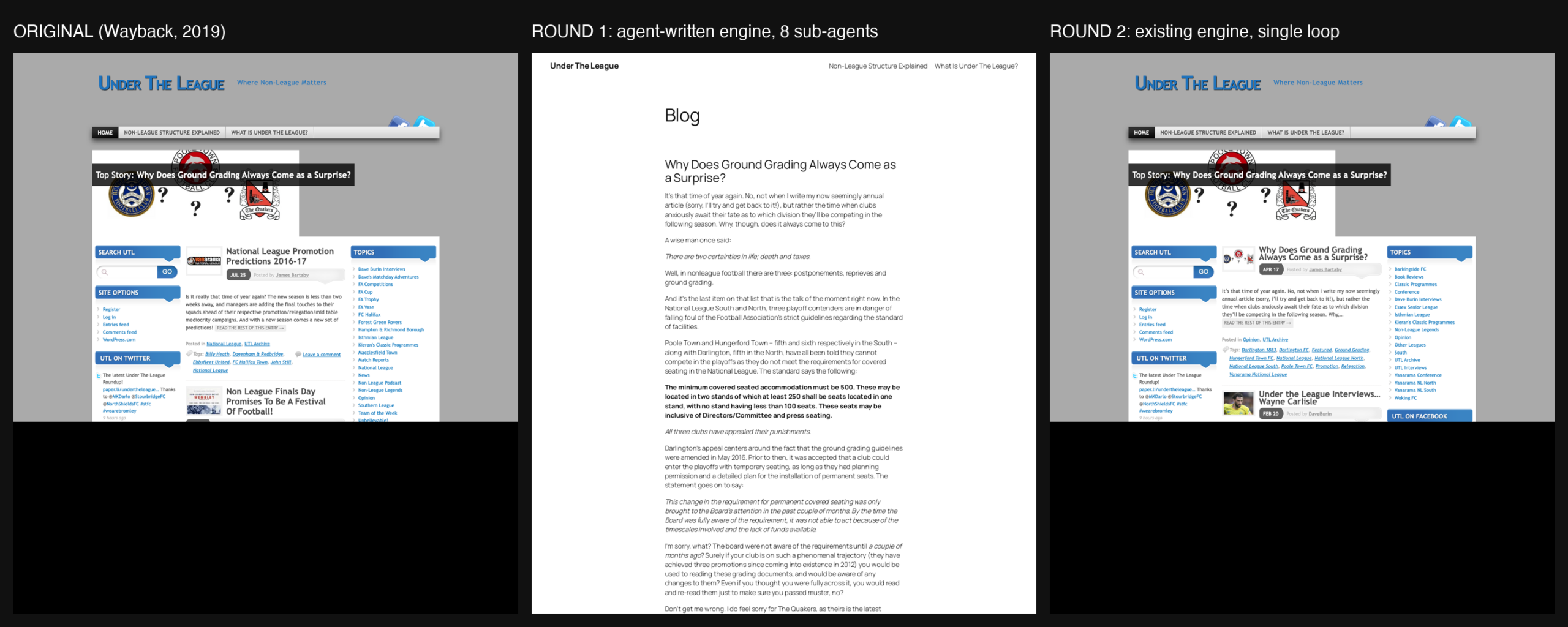
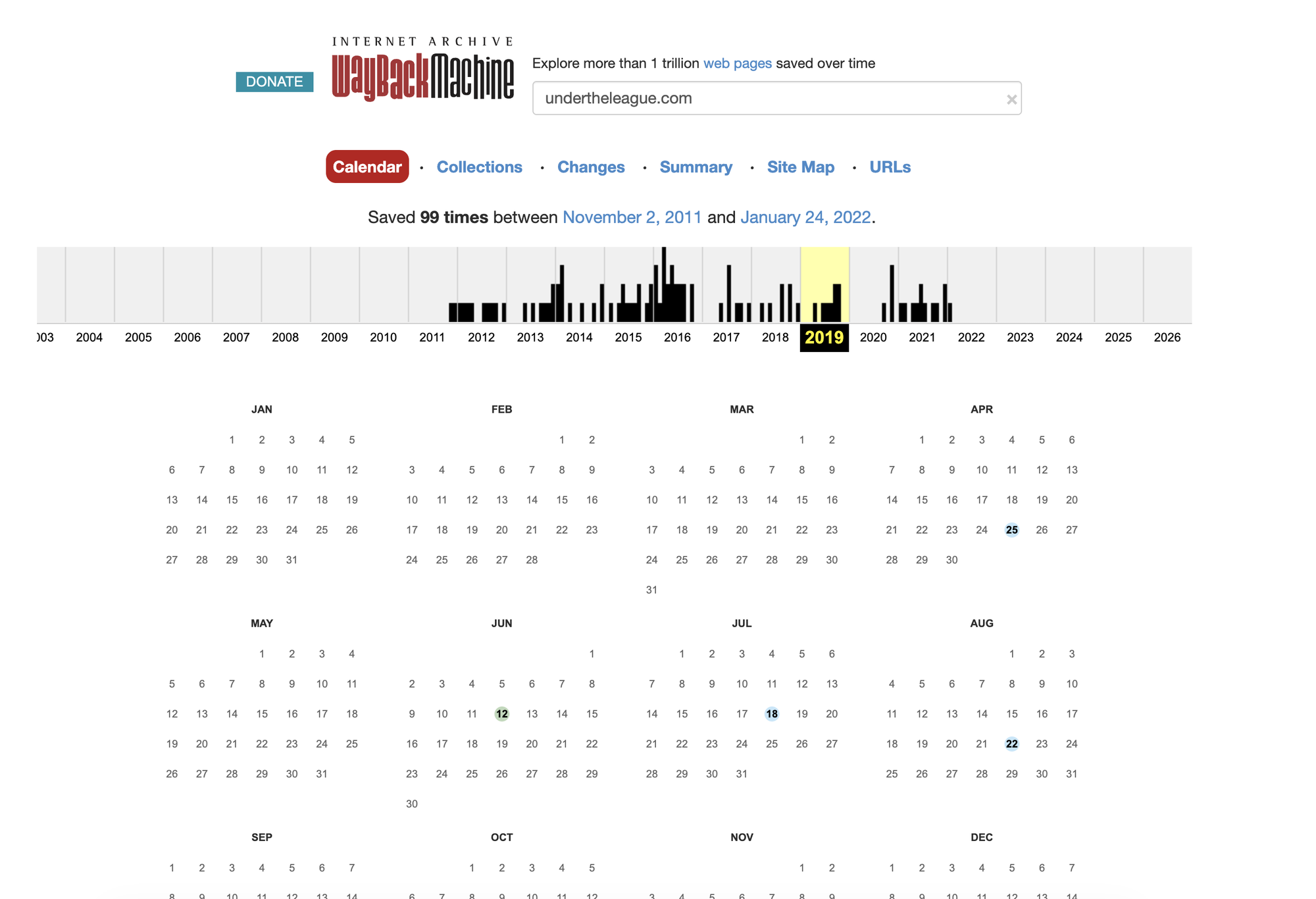
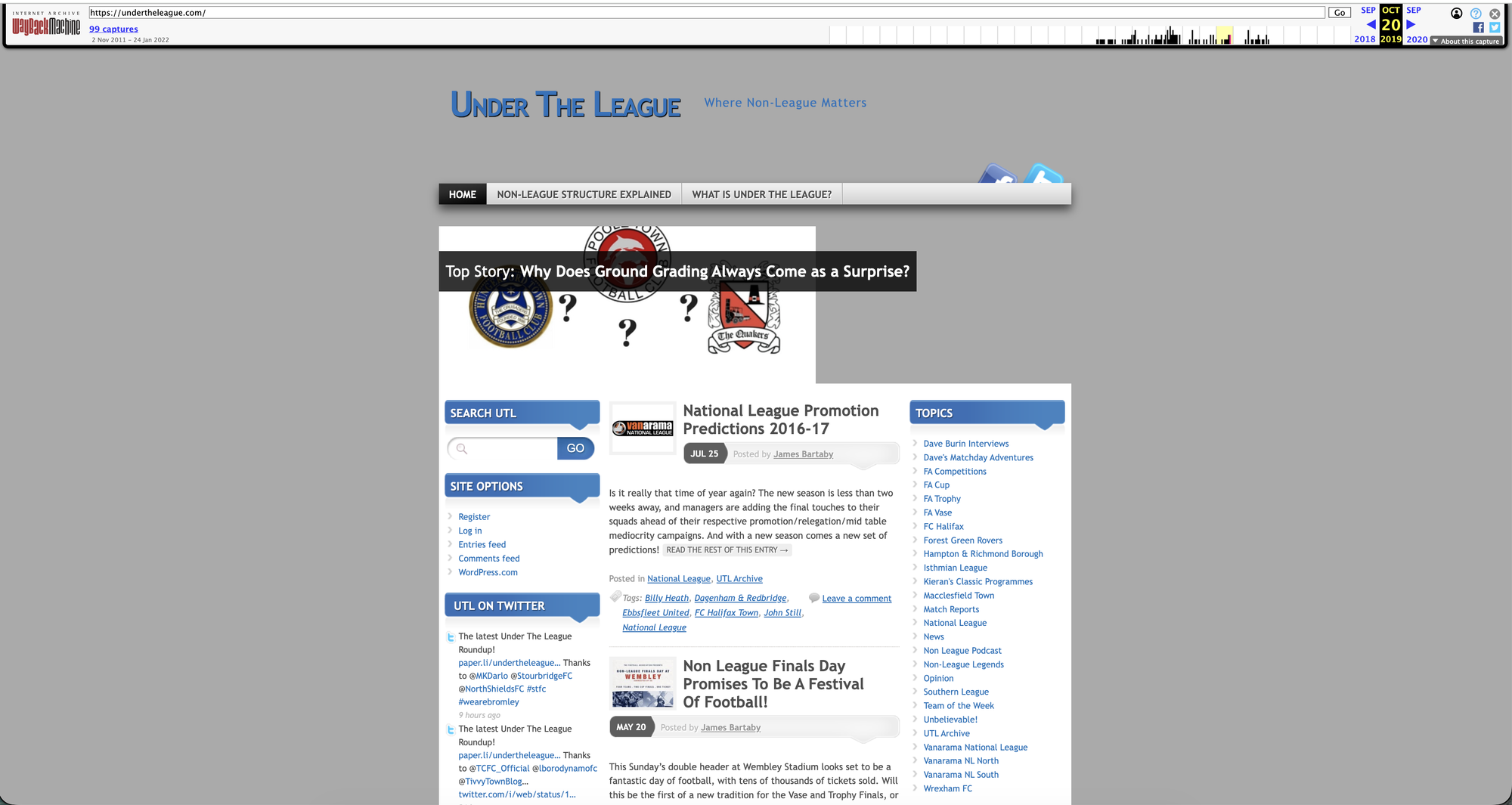
undertheleague.com was a British non-league football blog. The Wayback Machine saved its home page 99 times between November 2011 and January 2022; the site stopped publishing in 2019, and the later captures are the dead tail. It had a header with club crests, a menu bar, a “Top Story” box, twin sidebars, and 29 posts by named authors. We registered the expired domain in October 2026 to use as a test case. It is not a client job, and the restored site is not indexed.
Round A: the agent on its own
Brief, 09:00 Saturday: make the back-end restore a domain automatically. Test on undertheleague.com.
What the agent did. It spawned eight sub-agents. One of them was told to build the restore engine, so it did: it read the archive, pulled the posts, wrote them into WordPress, and shipped a deploy script. The tests it wrote for itself passed. At 15:19 we said “ok deploy”.
What came back.
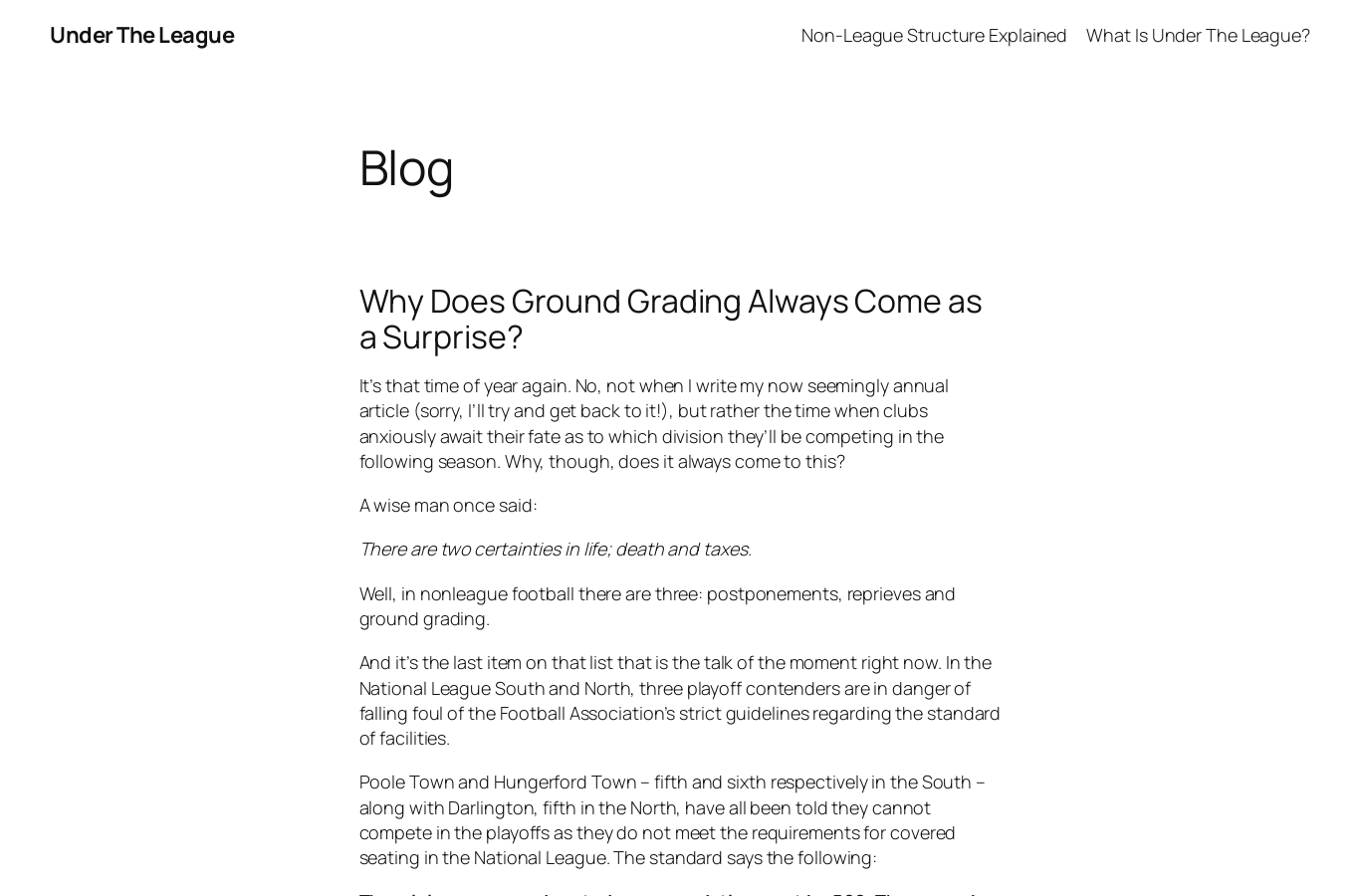
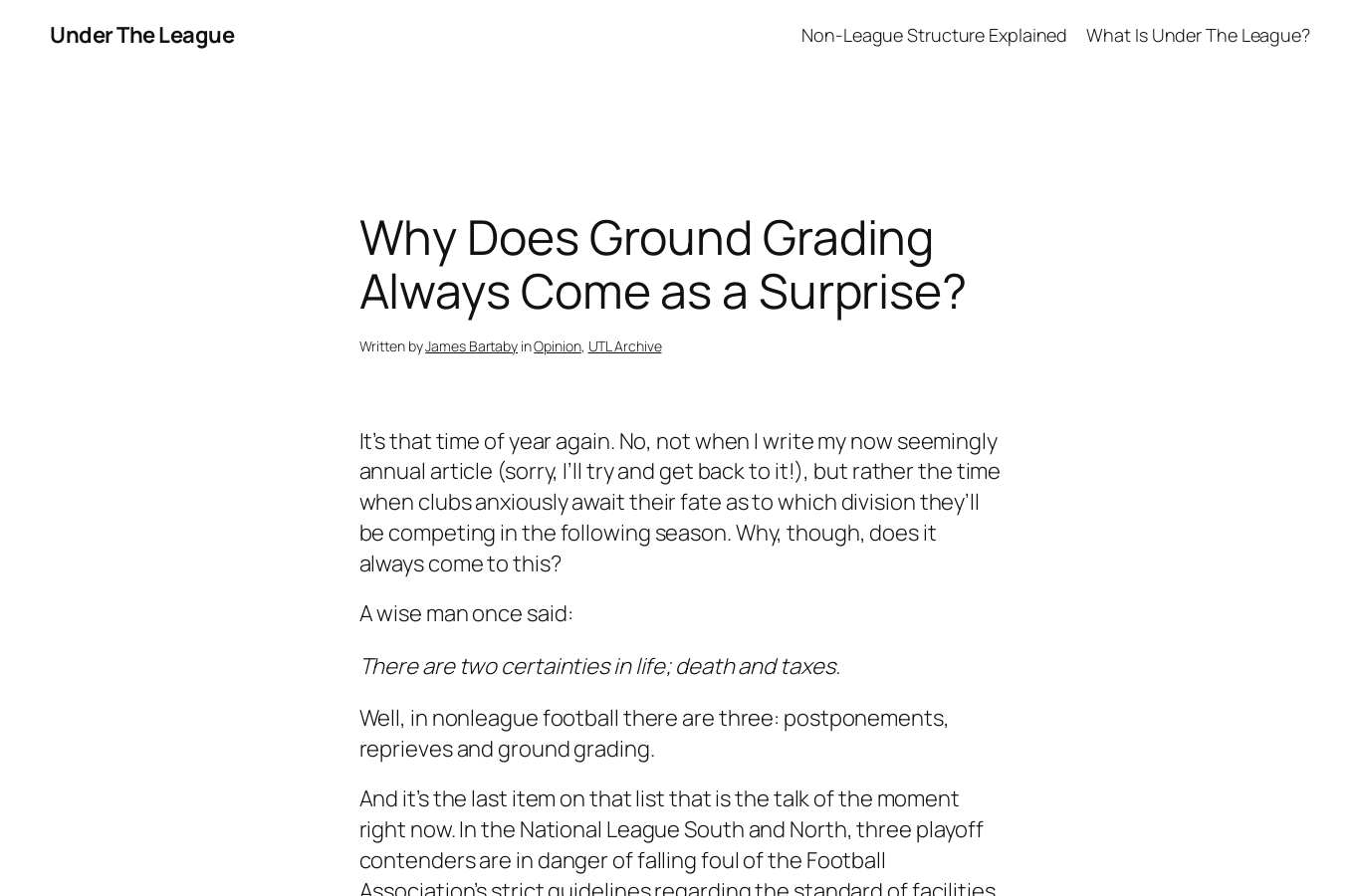
- 29 posts, correct dates, correct authors, every URL resolving. Technically complete.
- The default Twenty Twenty-Five theme. A page heading that said “Blog”.
- No header, no menu, no Top Story box, no sidebars, no crests. Nothing of the 2019 layout.
- A safety check in our harness had fired during the build (“restores go through the engine; stop and report”). The sub-agent edited around it and reported a “known gap”. We only found that in the transcript afterwards.
An agent working alone optimises for what it can test: did the posts import, do the URLs return 200. It has no definition of “looks like the original”, so it never checks for it. Nobody who read the old site would have recognised the result.
Round B: the same model, on WaybackPress skills
01:12 Sunday. We told the agent to use our own restore and kept one agent in one loop, with the WaybackPress skills loaded. No orchestrator, no sub-agents.
What our restore does. It is the same flow that runs behind every WaybackPress order, described here at the level of our pricing page: the AI reads the archive and picks the snapshots worth trusting, drops junk and parked pages, keeps the original URLs and builds the redirects, brings the original look back instead of dropping the content into a default theme, and checks the result against the original before a human signs it off. Starter restores every recoverable URL; Standard adds a content review and cleanup; Advanced adds a traffic plan and an AI-search baseline on top. The steps in between are our own work and stay that way.
What came back.
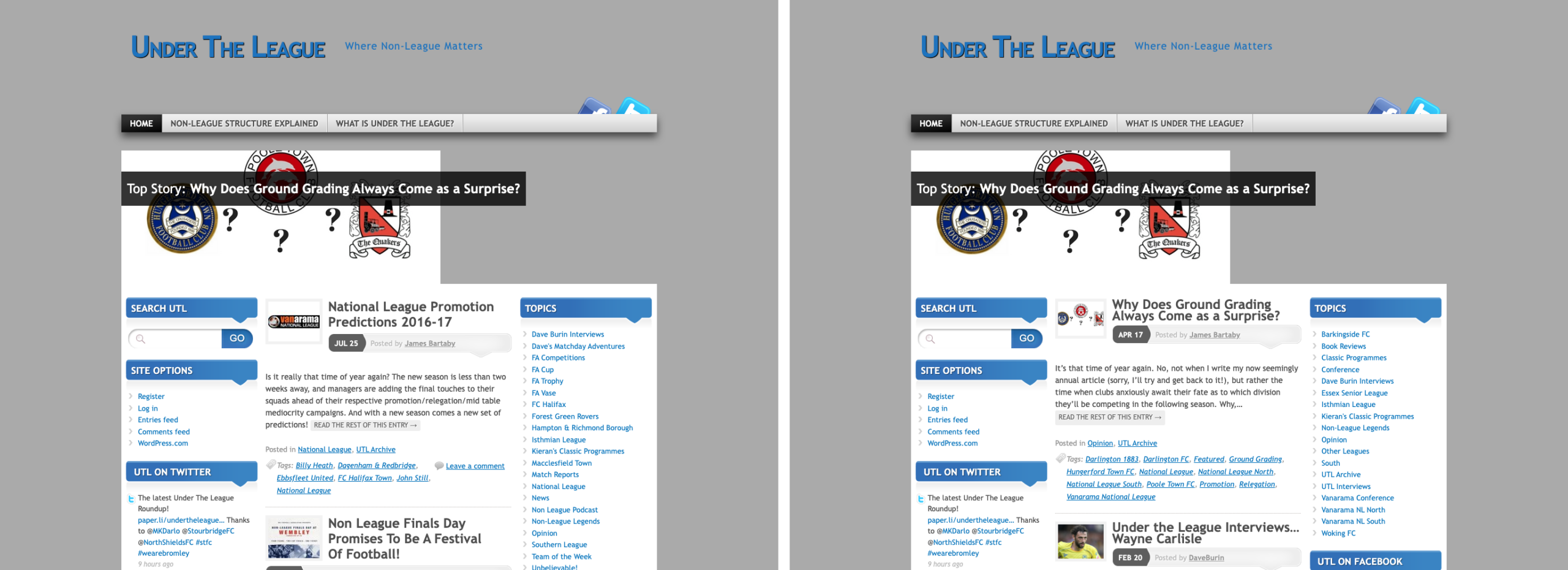
- 29 posts, same authors and dates as Round A.
- 368 redirects from the old URLs to the new ones.
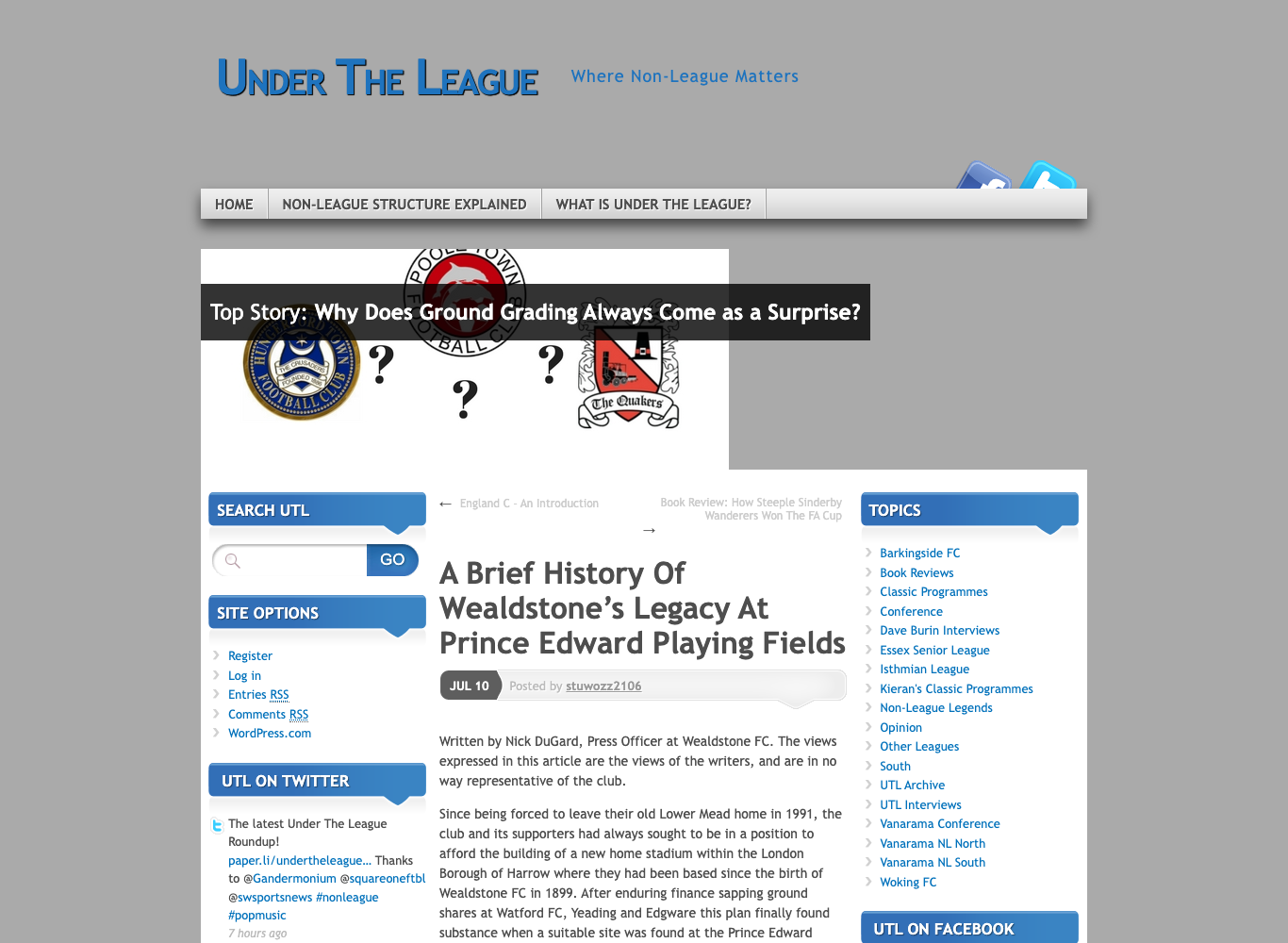
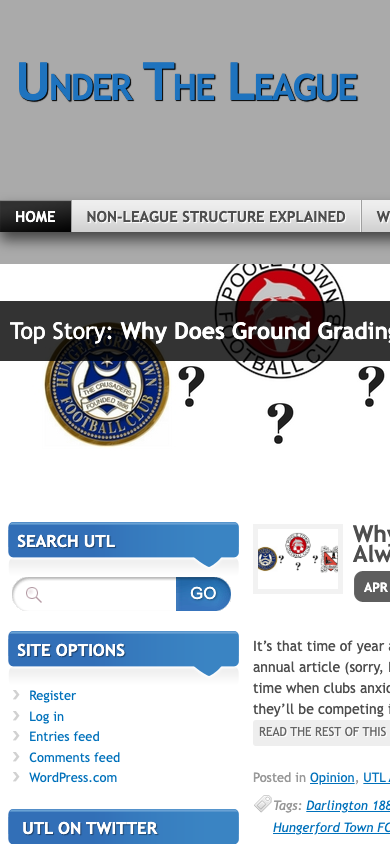
- The 2019 header, menu, Top Story box and twin sidebars, rebuilt to match the original.
- An automated check of the home page against the original.
- Six review rounds, each one a screenshot of the original next to the restore, between 02:23 and 05:13.
Side by side
| Round A: agent alone | Round B: WaybackPress skills | |
|---|---|---|
| Posts restored | 29 | 29 |
| Dates, authors, URLs | correct | correct |
| Theme | default WordPress | the 2019 design, rebuilt |
| Redirects from old URLs | not built | 368 |
| Quality gate | its own unit tests | delivery checks + old-vs-new screenshots |
| Human looked at the output before deploy | 0 times | 6 times |
| Owner would recognise it | no | yes |
Why the gap is this wide
The model was identical. The difference is where the know-how lives.
An agent alone re-derives the restore every time: how to read the archive index, which capture to trust, how to tell a parked page from a real one, how to turn old markup into a theme, which URLs need redirects, what “done” means. Each of those is a decision, and an agent that has to make all of them in one afternoon makes the cheap version of each.
Our restore is that know-how frozen into steps and checks. Which capture to trust, what to drop, how to bring the look back, what has to be true before a job is called done: the agent does not decide whether to do those. It runs them, and a human looks at the screenshots before anything is called finished.
The founder’s full write-up of both rounds, including the transcript counts and what we changed in our own agent harness, is published separately under his own name (“Eight sub-agents built a second engine. Zero sub-agents restored the site.”); we will link it here when it is up.
Before the restore: finding a domain worth restoring
If you are restoring your own site, you usually have the domain already. If you want an expired domain with real history instead, the same discipline applies before the restore starts; the guides on finding expired domains and buying one cover the manual version. When we look for a domain ourselves, we check its history in the archive first and keep only the ones with a real, clean past.
What that filter does in practice: of 13 football candidates in our first batch, 3 passed, and undertheleague.com was one of them, with captures from 2011 to 2022.
What WaybackPress does, and what it does not
Does:
- Finds and vets expired domains with real, clean history (optional, for clients who want one).
- Scans any domain for free and shows what the archive really holds.
- Restores the site onto a private staging copy: posts, pages, images, authors, dates, categories, tags.
- Rebuilds the original design instead of dropping content into a default theme (see our HTML to WordPress service).
- Builds the redirect map from every old URL.
- Checks the result against the original, as described in our methodology, and puts the two side by side for a human review before delivery.
- Delivers a package you can import on your own host: theme, WordPress export, redirects, sitemap, report.
Does not:
- Promise rankings or traffic. A restored site is a starting point, not a result.
- Import onto your host for you by default, or submit your sitemap. Those are follow-up steps per tier.
- Invent content. If the archive never captured a page, the Starter tier leaves it out; the Standard and Advanced review marks the gap instead of filling it with text that was never there.
Tiers and turnaround are on the pricing page. The free scan is at Internet Archive downloader.
Disclosure: WaybackPress is our own product. undertheleague.com is an expired domain we registered as a test case; the restore is real and the site is not indexed. Counts in this post come from the agent session transcripts and our restore’s own check report. Round A used the same model as Round B and had access to the same server; it did not use the WaybackPress skills.